Chair's Decision and Next Steps
The text on this page is a working draft. Final wording is to be provided by the secretariat.
Community votes, suggested amendments and the discussion on the call are all advisory. The formal decision on every DMR is recorded by the convenor (chair).
The chair's review
After the maintenance meeting, the chair reviews each DMR together with the discussion it attracted, and guides the outcome so that the code list stays aligned with, and enforces, Recommendation 16. Where the team's preference and the Recommendation pull in different directions, the Recommendation wins — the chair's job is to hold that line so the standard does not drift entry by entry.
The chair also settles what reviewers cannot:
- Assigns the three-letter code element. A requester's suggested code is taken into account, but the secretariat assigns the final code — including where the suggestion is already allocated in that country.
- Assigns the status code. Status is set through the official review process, never on submission.
Recording the decision
On the DMR page, the Convenor decision panel is active for chair-tier accounts only. Everyone else sees the request's current state as a badge.
| Outcome | State | Meaning |
|---|---|---|
| Approve | Approved | Accepted, queued for the next batch into the directory |
| Reject | Rejected | Not accepted; the reason is recorded on the DMR |
| Return to review | Request | Reopened for further discussion |
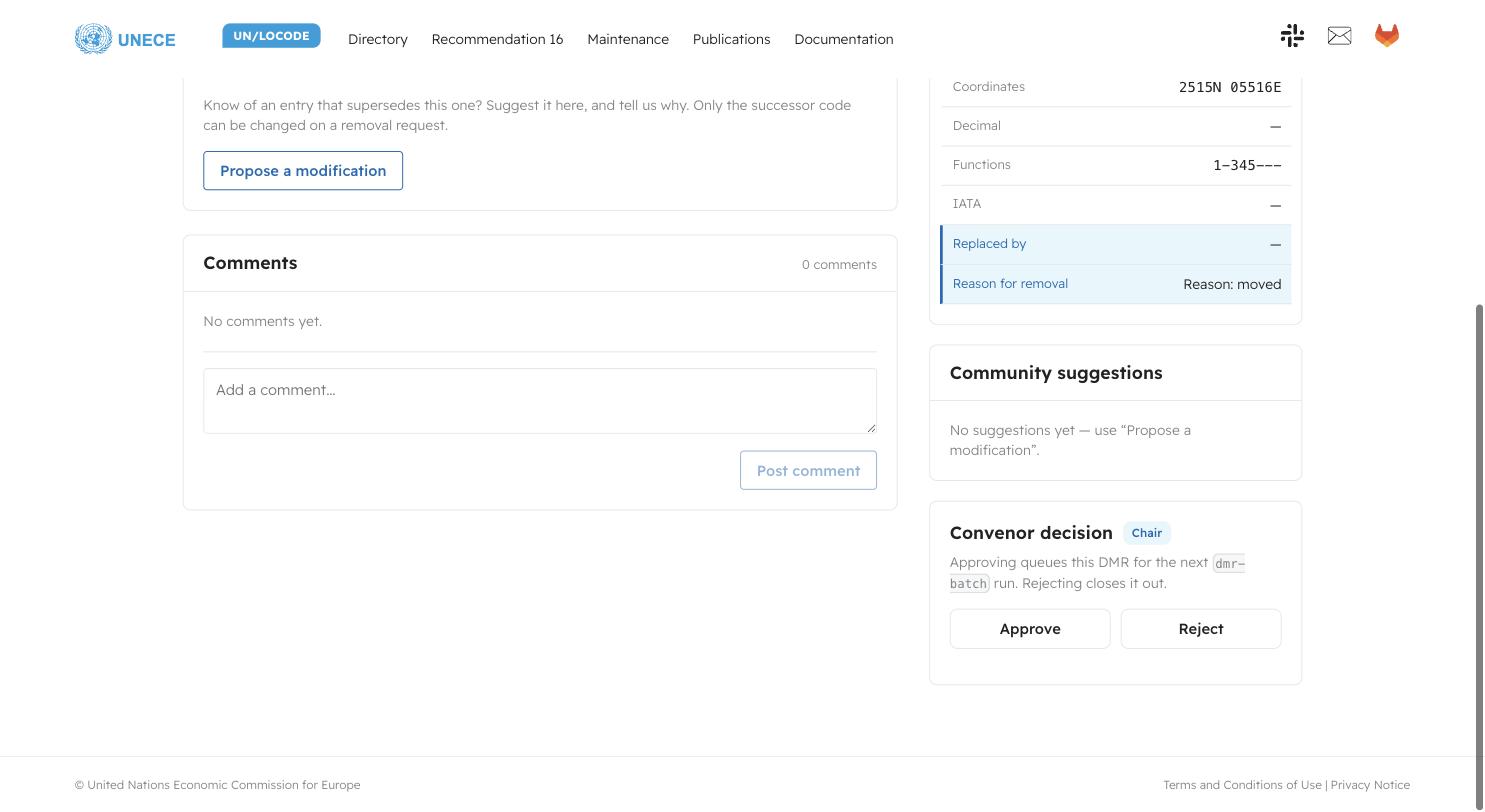
Approving queues the DMR for the next dmr-batch run; rejecting closes it out.
Signed-in reviewers who are not the chair see the same panel with an explanatory
note in place of the buttons.
Next steps after approval
- Batching. Approved DMRs are collected into a batch and prepared as a merge request against the source data. The DMR is marked Batched once it is in that merge request. Only one batch can be in flight at a time — see One batch at a time below.
- Validation. The batch runs through the normal validator and normaliser pipeline before it is merged. A DMR that fails validation is flagged so it can be corrected rather than silently dropped.
- Available in the directory immediately. Once the batch is merged, the entries appear in the directory on this site straight away. This is the working view of the data — it is current, and it moves between official releases.
- Official release at set intervals. The secretariat publishes the official UN/LOCODE directory twice a year (January and July). At each release the accumulated changes are packaged into the official artefacts — CSV, TXT, XML and the data archive — and published on the publications page with the Secretariat Notes. See Publishing a Release for the mechanics.
In short: approved changes are visible immediately, and become part of the official standard at the next scheduled release. Downstream users who need stability consume the official release; those who need currency can follow the directory.
One batch at a time
A batch merge request has to be either merged or closed before another batch
can be run. If a batch is still open, the dmr-batch job refuses to start and
tells you which merge request is blocking it.
This is deliberate. A second batch is cut fresh from main, so it does not carry
the first batch's rows. Two open batches would edit the same lines of the same
country file, and the second one would arrive at merge time as a conflict for
someone to unpick by hand.
So there are exactly two ways forward:
| Action | What happens to the data | What happens to the DMRs |
|---|---|---|
| Merge the batch MR | The rows are applied to /locodes/*.csv and appear in the directory | Each batched DMR is closed automatically by the merge |
| Close the batch MR | Nothing is applied — no change reaches the source data | Every DMR it carried goes back to Approved |
Closing a batch
Closing the merge request discards the batch entirely. None of the changes are merged in, and the source data is left exactly as it was.
The DMRs are not lost. Each one is still approved in substance, it is just
stranded on Batched with no merge request behind it. The next time the batch
job runs it reconciles those requests first — returning them from Batched to
Approved — and then picks them up into the new batch. The reconciliation runs
at the start of the next dmr-batch run, not at the moment you close the merge
request, so a closed batch's DMRs will show as Batched until then.
Close a batch when the batch as a whole is wrong — the wrong requests were swept in, or something upstream needs fixing first. Do not close it to fix a single entry: reject or return that one DMR and let the rest merge.
If a DMR is rejected
The reason is recorded on the request. A rejected DMR can be resubmitted once the objection is addressed — usually with the evidence that was missing, or with the field corrected as the amendment suggested. Rejection is not an appeal process closing; it is a request for the missing piece.