Access and Registration
The text on this page is a working draft. Final wording is to be provided by the secretariat.
Registration is the same for everyone — contributor, focal point or maintenance team member. The full instructions live on the main documentation page:
This page covers only what it means for the maintenance team.
You need an account to take part
The DMR portal is read-only until you sign in. Anyone can browse the list of DMRs, open a request and read its discussion without an account. But to do the work of the maintenance team you must be signed in:
- Submit a DMR of your own
- Vote 👍 accept / 👎 reject on a request
- Comment on a request or suggest an amendment to it
- Approve or reject a DMR — chair only
Without an authenticated session the vote and comment controls are visible but disabled, with a Sign in to vote hint.
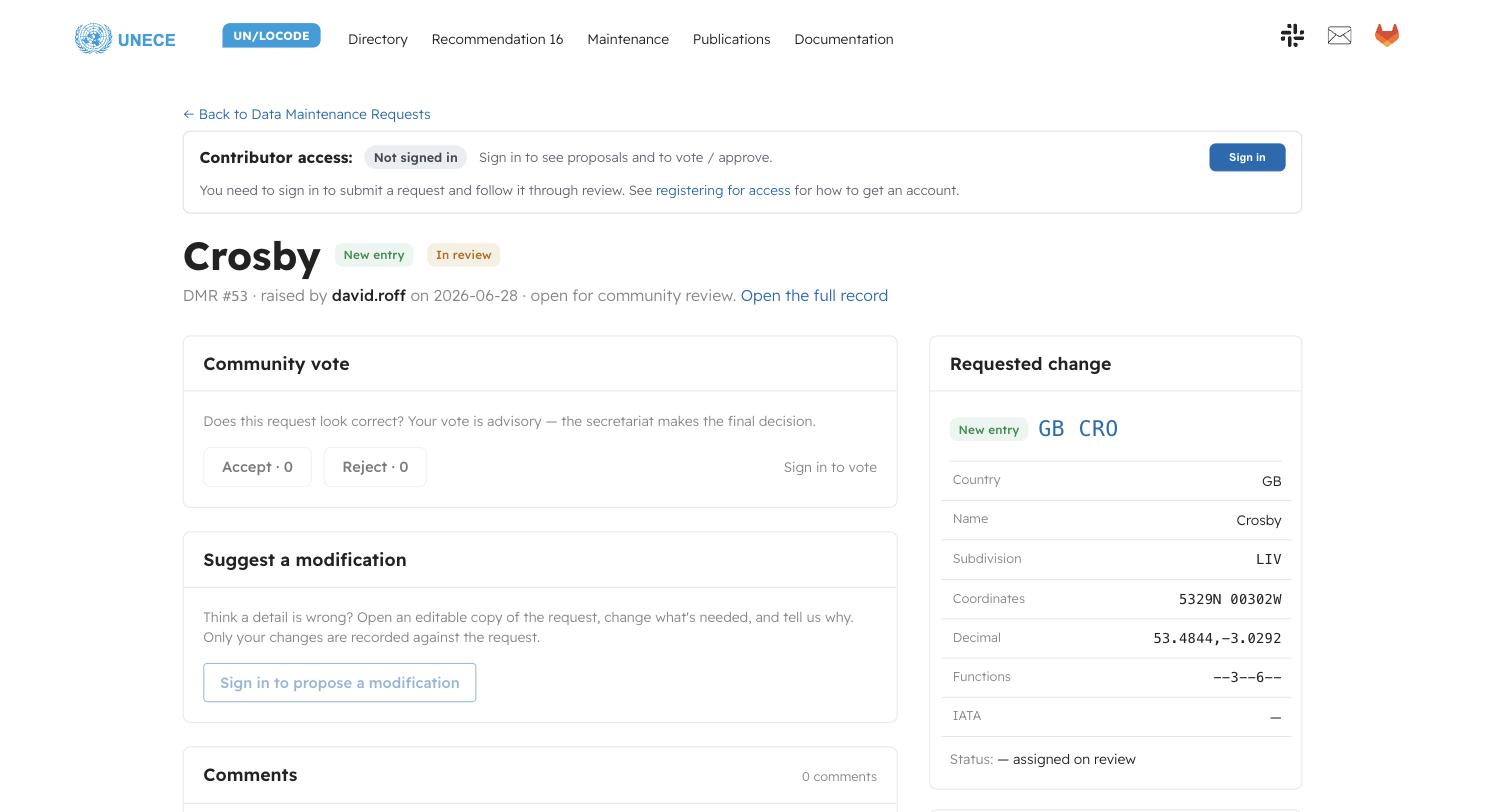
Signed out, the banner reads Not signed in and the controls are greyed with Sign in to vote and Sign in to propose a modification in place of the live buttons. The request itself — every submitted field, the change type and the review state — is fully readable without an account.
Getting the right permission level
Signing in gets you a Community tier account, which is enough to vote and comment. Two higher tiers exist and are granted by the secretariat:
- Focal point — your endorsement is recorded as coming from a National Focal Point rather than a general community member.
- Chair — can record the formal Approve / Reject decision and batch approved DMRs for publication.
If you sit on the maintenance team and your badge on a DMR page reads
Community, ask the secretariat (cefact@un.org) to raise your role. Your tier
is shown next to your name wherever you vote or comment, so reviewers can weigh
each opinion appropriately.
Sessions
Your sign-in is stored in your browser only and expires. If a vote or comment fails with an authorisation error, sign out and back in from the banner at the top of the page.